Custom storefront
Home, collection, product and cart built as an application, designed around your catalogue and brand.
A custom storefront in Next.js or Hydrogen, running on Shopify’s commerce engine and checkout — for brands whose experience no longer fits inside a theme.

Shopify’s real value is not its themes. It is the part you never see: inventory, orders, payments, fraud checks, tax, and a checkout tested by millions of transactions. Going headless keeps all of that and replaces only the storefront — the pages customers browse before they buy.
Brands do this when the experience they want no longer fits in a theme. A configurator, an editorial shopping journey, a storefront that pulls content from a separate CMS, or simply a level of speed and polish that a theme with eight apps cannot reach.
It is not a decision to take lightly. A headless store costs more to build and more to maintain, and a handful of apps that inject their own front-end code will stop working until they are rebuilt. Done for the right reason it is excellent; done because it sounds modern it is an expensive way to get a slower store.
Three real differences between a themed store and a custom storefront.

Product pages, collections and landing experiences can behave exactly as designed, rather than as the nearest theme setting allows. This matters most for brands whose product needs explaining, configuring or styling.
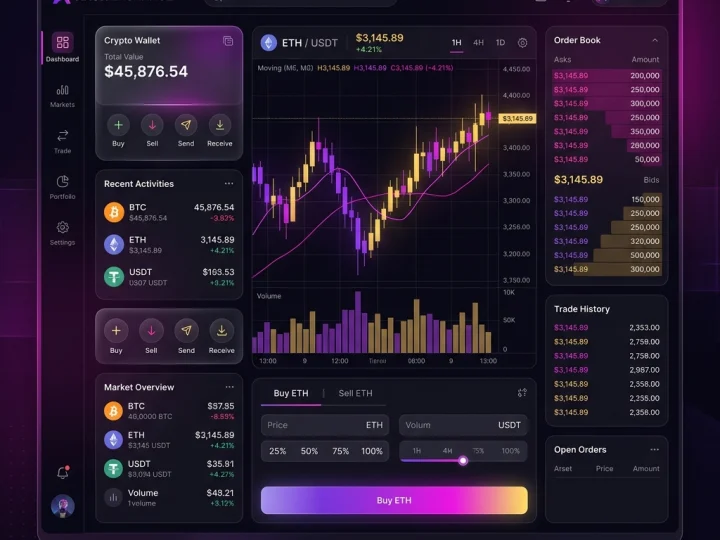
Collection and product pages can be pre-rendered and cached close to the shopper, with live data for stock and price. That combination is hard to match with a theme carrying multiple apps.

Editorial content can come from WordPress or another CMS and sit beside product data in the same pages, instead of being squeezed into Shopify’s limited content tools.
A headless storefront that your team can run and your customers can buy from.
Home, collection, product and cart built as an application, designed around your catalogue and brand.
The checkout, payments, fraud and tax stay with Shopify, which is where you want them.
Live inventory, pricing and cart state pulled from Shopify so nothing goes stale.
WordPress or a headless CMS for editorial pages, so marketing is not blocked by developers.
Rendering chosen per template, images optimised, third-party scripts kept on a short leash.
Analytics, conversion tracking and feeds re-implemented, since theme-injected app scripts no longer apply.
Go headless because a theme cannot do what you need, not because headless sounds better.
Ask if headless suits your storeHeadless Shopify earns its cost in a few specific situations.
Where a small conversion or speed gain is worth a significant sum each month.
Configurators, bundles, made-to-order items and anything needing real interaction.
Brands whose editorial and products belong in the same experience.
Several markets sharing one codebase with local content and currency.
Stores slowed by a decade of accumulated apps, where the theme is now the bottleneck.
Where looking like every other Shopify store is itself the problem.
Shopify for commerce, a modern front end for everything the customer sees.
Products, inventory, orders, payments and checkout.
The storefront application, with per-template rendering.
Live product, price, inventory and cart data.
WordPress or similar for editorial content beside the catalogue.
Six stages, with a genuine go/no-go after the first.
We check whether a well-built theme would meet the goal at a fraction of the cost. If it would, we say so.
What Shopify owns, what the CMS owns, what the front end renders, and how each page is cached.
Storefront, collection, product and cart designed for desktop and mobile.
The storefront application built against the Storefront API on a development store.
Essential app functionality rebuilt, analytics and conversion tracking verified with real test orders.
Careful go-live, monitoring of the first orders, and training for the team.
A headless store is a bigger investment than a custom theme, and it carries ongoing front-end maintenance. We quote both, and we will tell you when the theme route gets you 90 per cent of the result for a third of the money.
Get your estimateMost stores are better served by a well-built custom theme. These are the signs that applies to you.
Get a straight recommendationHeadless stores usually run 8–14 weeks. Rebuilding app functionality is the part most often underestimated.
| Stage | Typical time | What you receive |
|---|---|---|
| Fit assessment & architecture | 1–2 weeks | Recommendation, architecture, fixed estimate |
| Design | 2 weeks | Designed storefront, collection, product, cart |
| Front-end build | 3–5 weeks | Storefront running against live catalogue data |
| Apps, content & tracking | 1–2 weeks | Rebuilt app features, CMS content, verified tracking |
| Testing & launch | 1–2 weeks | Real test orders, redirects, go-live, training |
 Aura Premium Packaging
A premium skincare and packaging brand with a store that looked and felt nothing like the products it was selling — and a mobile experience that lost buyers at the checkout.
Read case study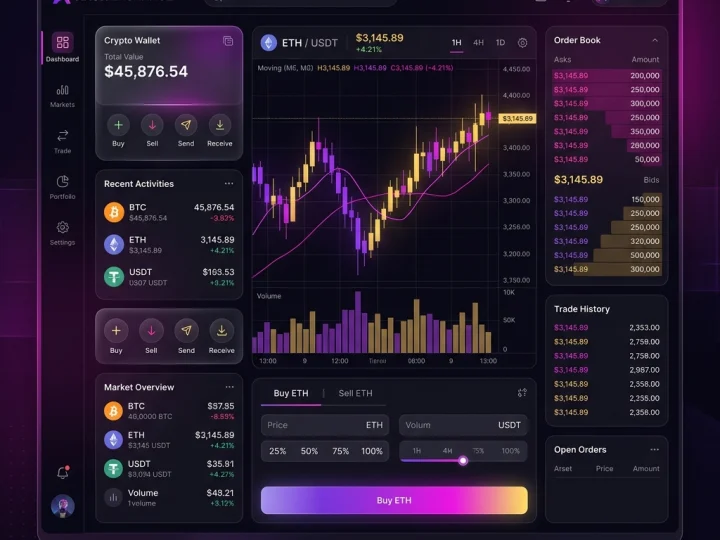 CryptoFlow
Active traders needed institutional-grade speed and cross-chain liquidity in one terminal, on a web app that stays readable while every number on screen keeps moving.
Read case studyCustom Shopify themes, app integrations and migrations — built so your store looks like your brand, loads fast, and makes buying the easiest thing on the page.
Learn moreWeb applications, dashboards and high-performance sites built in React and Next.js — typed, tested and structured so the next developer can read them.
Learn moreHeadless WordPress keeps the editor your team already uses and replaces the theme with a modern React or Next.js front end — faster pages, no plugin bloat, and content that can feed more than one place.
Learn moreResearch, page work and testing that turn existing visitors into enquiries and orders — usually cheaper than buying more traffic, and the gains do not stop when the ad budget does.
Learn moreWhat brands ask before leaving themes behind.
Still have a question? Ask us on WhatsAppTell us what you're trying to build, improve or automate.
Start your project



Trusted by 50+ founders & tech leaders worldwide